Prompting with context and examples
Claude cannot read your mind. Give it the situation, the audience, the format and one example, and the first answer will usually be usable.
Why the first answer is often useless
Type “write an email to a customer about a delay” and you get a generic, slightly too formal note that mentions nothing specific. That is not a failure of the tool. It is a failure of the brief.
Claude works the way a capable temp worker works on their first day: good at the craft, knows nothing about your business. Everything they need to know, you have to tell them.
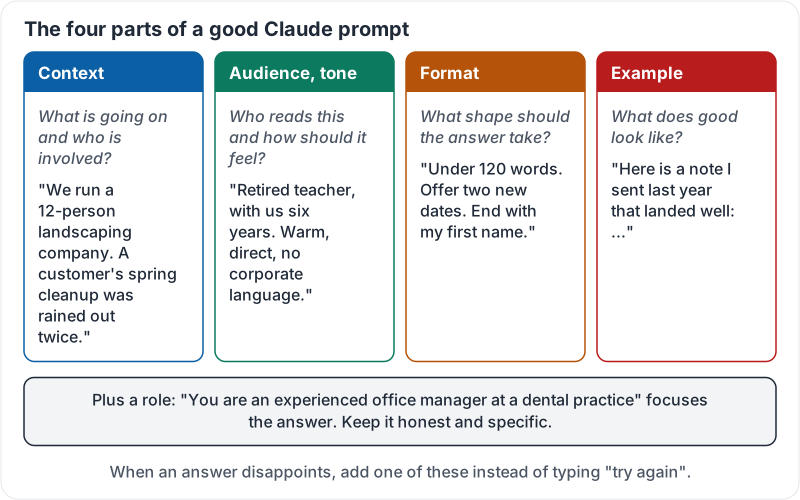
The four parts of a good prompt
| Part | Question it answers | Example |
|---|---|---|
| Context | What is going on and who is involved? | “We run a 12-person landscaping company. A customer’s spring cleanup was rained out twice.” |
| Audience and tone | Who reads this and how should it feel? | “The customer is a retired teacher who has been with us six years. Warm, direct, no corporate language.” |
| Format | What shape should the answer take? | “Under 120 words. Offer two new dates. End with my first name.” |
| Example | What does good look like? | “Here is a note I sent last year that landed well: …” |
You do not need all four every time. But when an answer disappoints you, the fix is almost always to add one of them, not to type “try again”.
The four parts side by side, with the landscaping example filled in:
Give it a role
Telling Claude who to be focuses the answer. “You are an experienced office manager at a dental practice” produces different, better choices than no role at all. Keep the role honest and specific. “World’s best marketing genius” adds nothing.
Show, don’t describe
One real example beats three sentences of description. If you want a product description that sounds like yours, paste one you already like and say “match this style”. If you want a spreadsheet summary, paste one row of the kind of output you want.
Examples also fix formatting arguments. If Claude keeps giving you bullet points and you want sentences, paste two sentences and say “like this”.
Iterate like a conversation
Your first prompt starts a conversation, it does not end one. Good follow-ups:
- “Shorter. Cut the second paragraph.”
- “Make the second option the main one.”
- “You assumed we offer refunds. We don’t. Redo it with store credit.”
- “Give me three versions with different openings.”
Each follow-up should change one thing. If you change five things at once, you cannot tell what fixed it.
A before and after
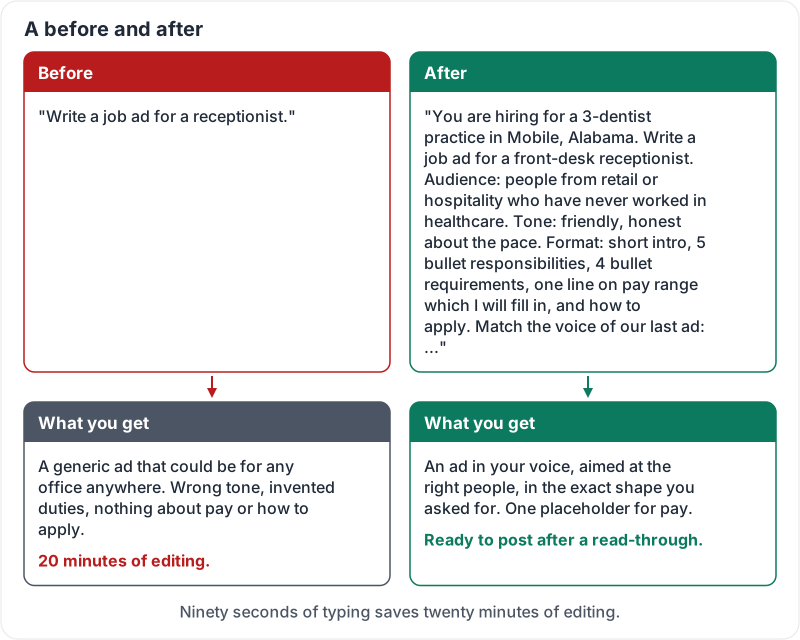
Before: “Write a job ad for a receptionist.”
After: “You are hiring for a 3-dentist practice in Mobile, Alabama. Write a job ad for a front-desk receptionist. Audience: people who already work in retail or hospitality and have never worked in healthcare. Tone: friendly, honest about the pace. Format: short intro, 5 bullet responsibilities, 4 bullet requirements, one line on pay range which I will fill in, and how to apply. Here is our last ad for a hygienist so you can match the voice: …”
The second prompt takes 90 seconds to type and saves 20 minutes of editing.
The same job ad, before and after:
Try it now
Take a real message you need to write this week. Write a prompt with all four parts, including one pasted example of your own writing. Compare Claude’s answer with what you would have got from a one-line prompt.
Remember: context, audience, format, example. When the answer is wrong, add one of these instead of asking again.
Checking your progress…